
Apple's newest 'creepy' watch feature sparks backlash with people comparing it to 'Big Brother'

One of Apple's newest updates hasn't received the reception the tech company probably hoped for...
Yesterday (September 9), Apple unveiled its latest generation of iPhones, including a widely anticipated foldable version called Duo.
The company’s new chief executive, John Ternus, who took over from Tim Cook on September 1, introduced the latest line-up at the Steve Jobs Theatre.
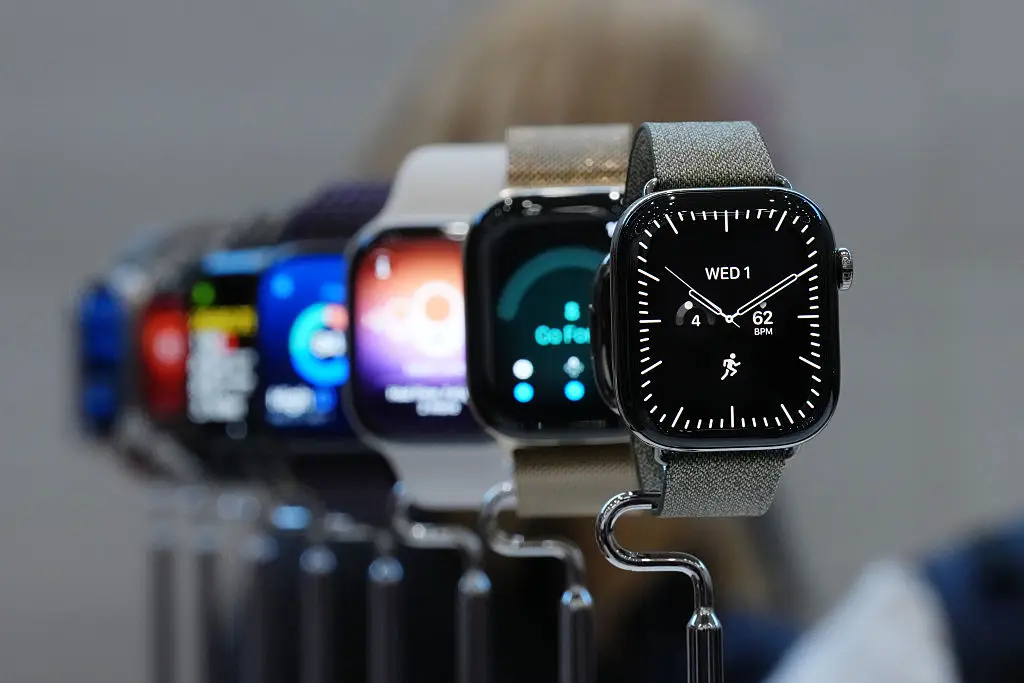
Apple also announced its latest versions of its Apple Watch, those being the Apple Watch Series 12 and Apple Watch Ultra 4.
Advert
Customers in countries such as Australia, Canada, France, Germany, India, Japan, the UAE, the UK, the US can now pre-order Apple Watch Ultra 4. It will then be with available in stores from September 18.
The Apple Watch Series 12 is also available to be order an will be released on the same day as the Ultra 4.
One feature that customers interested in buying the a new Apple Watch should be aware of its 'Siri Recap' feature.
Siri recap criticisms
Apple says of the new component on its website: "Siri Recap ambiently takes notes on your conversations throughout your day and creates high-level Apple Intelligence–generated summaries that you can use later to jog your memory, so you can stay present in the moment. Your summaries auto-delete after 7 days if you choose not to save them."
Not everyone is on board with this idea though...
"Big Brother is listening to your every word ... courtesy of Apple," one person said of the new feature.
"Oh so we really are normalising surveillance," wrote another on Twitter, as a third chimed in: "This is literally a Black Mirror episode."
Somebody else questioned: "Do they not realize how incredibly creepy this is?"
A different person expressed their hopes that that there's a way to turn the feature off – and there is.
Per the Apple website, you can switch Siri Recap off in the Watch app on your iPhone.

How to turn it off
"Siri Recap runs only when you choose," it explains. "You can turn on Siri Recap in the Watch app on iPhone. When you turn it on, you can set a schedule based on time and/or location (for example, 'only at work' or 'never at night'), or you can manually turn it on and off.
"Across all these options, you can always turn it on or off at any time from Control Center."
Regarding who can access the AI summaries, Apple insits that only you can see it.
"Siri Recap summaries and saved Live Rewind text snippets stored in the Siri app are end-to-end encrypted when synced through iCloud, so only you can access them, and only on your trusted devices," said the tech giant.
People can also view, edit, or delete Siri Recap summaries 'at any time'. Once you delete a summary, it is removed from all your synced devices.
Apple adds: "You can also export your summaries and text snippets to other apps, including Notes, Journal, and more."
You can find more details about privacy and Apple Intelligence here.
Topics: Apple, Technology, iPhone, Artificial Intelligence
 Niamh Shackleton